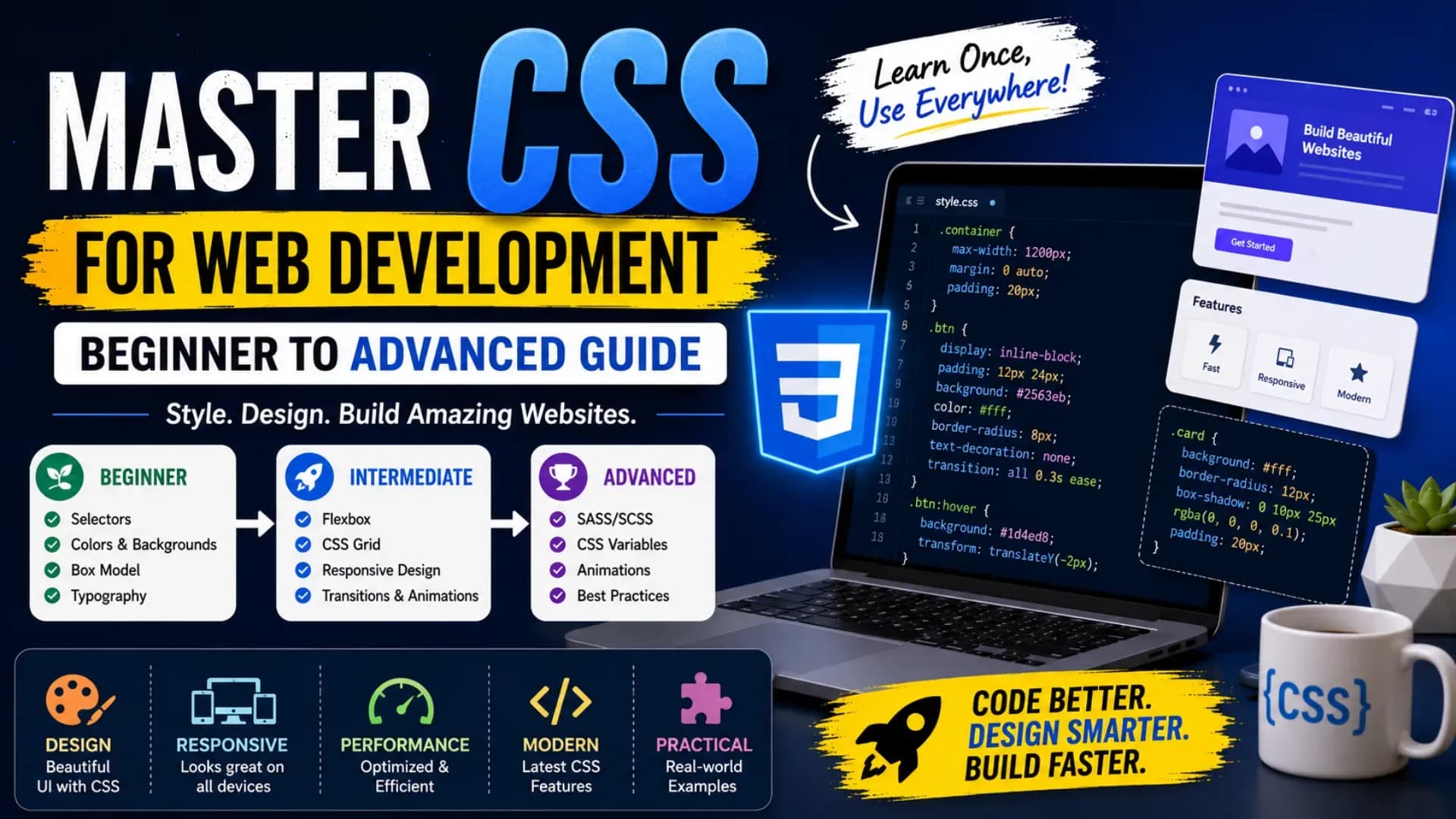
Master CSS for Web Development: Beginner to Advanced Guide
CSS is one of the most important skills for anyone who wants to build beautiful, responsive, and professional websites. This CSS tutorial for beginners is designed to help students, beginners, and aspiring developers understand CSS from the basics to advanced styling concepts.
If you want to learn CSS 2026, you need more than just colors and fonts. Modern websites require layouts, spacing, mobile responsiveness, interactive effects, and clean design systems. That is why this guide covers CSS for web development, Flexbox tutorial, CSS Grid layout, responsive web design, CSS animations, and modern CSS techniques.
This beginner to advanced CSS guide will take you step by step from basic syntax to professional frontend styling. Whether you are creating your first webpage or improving your portfolio projects, this advanced CSS guide will help you write cleaner, smarter, and more effective CSS.
Related Article: Top B.Tech Colleges in India: Fees, Admission & Ranking 2026
Table of Contents
What is CSS?
CSS stands for Cascading Style Sheets. It is used to style HTML elements and control how a webpage looks. HTML creates the structure of a website, while CSS controls colors, fonts, spacing, layouts, buttons, cards, sections, and overall design.
For example, HTML creates a heading, but CSS decides whether that heading is large, bold, centered, colorful, or responsive. This is why CSS for web development is essential for every frontend developer.
A good CSS tutorial for beginners should not only teach properties but also explain how design decisions affect user experience. CSS is not just decoration; it is the language that makes websites usable, attractive, and professional.
Also Read: Top AI Skills Students Must Learn in 2026
Why Learn CSS in 2026?
If you want to learn CSS 2026, you are learning a skill that is still highly relevant in frontend development. Every website, landing page, web application, blog, dashboard, and e-commerce platform depends on CSS.
In 2026, companies expect developers to understand responsive web design, clean layouts, mobile-first styling, accessibility, and performance-friendly design. This makes CSS for web development a must-have skill for students and beginners.
Modern CSS has become more powerful with features like Grid, Flexbox, variables, transitions, media queries, and animations. These modern CSS techniques help developers build professional websites without depending too much on heavy frameworks.
CSS Syntax and Selectors
CSS works by selecting HTML elements and applying styles to them. A basic CSS rule contains a selector, property, and value.
h1 {
  color: blue;
  font-size: 32px;
}
In this example, h1 is the selector, color and font-size are properties, and blue and 32px are values.
Common CSS Selectors
*— Universal selectorh1— Element selector.box— Class selector#header— ID selectordiv p— Descendant selector
Every CSS tutorial for beginners starts with selectors because selectors decide which elements receive styling. Without understanding selectors, it becomes difficult to write clean and controlled CSS.
CSS Box Model
The CSS Box Model is one of the most important concepts in beginner to advanced CSS. Every HTML element is treated like a box. This box contains content, padding, border, and margin.
- Content: The actual text, image, or element content.
- Padding: Space between content and border.
- Border: The line around the padding and content.
- Margin: Space outside the element.
.card {
  padding: 20px;
  border: 1px solid #ddd;
  margin: 20px;
}
Understanding the box model is necessary for responsive web design, because spacing and layout behavior change across different screen sizes.
Stop Stressing. Start Applying.
Skip the chaos of filling endless forms. Apply to your dream colleges in one go through the College Nirnay Common Application Form — built for every student navigating India's competitive education landscape.
Fill the Common Application Form →✓ Free to apply · ✓ Takes under 5 minutes · ✓ Trusted by thousands of students
Flexbox Tutorial: One-Dimensional Layouts
Flexbox is a CSS layout system used to arrange items in a row or column. This Flexbox tutorial is important because Flexbox is widely used in navbars, cards, buttons, forms, and responsive sections.
.container {
  display: flex;
  justify-content: center;
  align-items: center;
  gap: 20px;
}
Important Flexbox Properties
display: flex;— Activates Flexboxjustify-content— Aligns items horizontallyalign-items— Aligns items verticallygap— Adds space between itemsflex-wrap— Allows items to move to the next line
A practical Flexbox tutorial helps beginners understand how to align elements without using old methods like floats. Flexbox is one of the most useful modern CSS techniques for everyday frontend development.
CSS Grid Layout: Two-Dimensional Design
CSS Grid layout is used for two-dimensional layouts, where you need to control both rows and columns. It is perfect for galleries, dashboards, product cards, blog layouts, and complex website sections.
.grid-container {
  display: grid;
  grid-template-columns: repeat(3, 1fr);
  gap: 24px;
}
While Flexbox is best for one-dimensional alignment, CSS Grid layout is better for complete page layouts. A professional developer should understand both Flexbox and Grid.
Flexbox vs Grid
| Feature | Flexbox | CSS Grid |
|---|---|---|
| Layout Type | One-dimensional | Two-dimensional |
| Best Use | Navbar, buttons, cards | Full page layouts, galleries |
| Direction | Row or column | Rows and columns together |
Learning CSS Grid layout is essential for anyone following a beginner to advanced CSS roadmap.
Responsive Web Design
Responsive web design means creating websites that work properly on mobile, tablet, laptop, and desktop screens. Since most users browse websites on mobile devices, responsive design is no longer optional.
To build responsive web design, developers use media queries, flexible units, responsive images, Flexbox, Grid, and mobile-first styling.
@media (max-width: 768px) {
  .grid-container {
    grid-template-columns: 1fr;
  }
}
If you want to learn CSS 2026, you must practice mobile-first design. Most companies expect frontend developers to build pages that look clean and usable on every screen size.
CSS Animations and Transitions
CSS animations help make websites more interactive and engaging. They are used for hover effects, loading screens, buttons, cards, sliders, and smooth user interactions.
.button {
  transition: all 0.3s ease;
}

.button:hover {
  transform: translateY(-4px);
}
Simple transitions can improve user experience without making the website heavy. Advanced CSS animations can create keyframe-based movement, fade effects, sliding effects, and micro-interactions.
@keyframes fadeIn {
  from {
    opacity: 0;
  }
  to {
    opacity: 1;
  }
}

.box {
  animation: fadeIn 1s ease-in-out;
}
When used properly, CSS animations are one of the most powerful modern CSS techniques for improving frontend design.
Advanced CSS Guide: Modern CSS Techniques
This advanced CSS guide focuses on the concepts that move you from basic styling to professional frontend development. Once you understand selectors, box model, Flexbox, Grid, and responsiveness, you should start learning advanced features.
1. CSS Variables
:root {
  --primary-color: #3730a3;
  --text-color: #222;
}

.button {
  background: var(--primary-color);
  color: white;
}
2. Clamp for Responsive Text
h1 {
  font-size: clamp(28px, 5vw, 56px);
}
3. Pseudo-classes and Pseudo-elements
a:hover {
  color: red;
}

p::first-letter {
  font-size: 32px;
}
These modern CSS techniques make your code cleaner, reusable, and easier to maintain. A serious advanced CSS guide should always include variables, responsive units, pseudo-elements, transitions, and layout systems.
Best CSS Projects for Practice
The best way to master CSS for web development is by building real projects. Reading theory is useful, but practical design work helps you understand layouts, spacing, colors, and responsiveness.
- Personal portfolio website
- Responsive landing page
- Product card design
- Blog homepage layout
- Pricing table section
- CSS animated button collection
- Responsive navbar
- Image gallery using CSS Grid
These projects are perfect for a beginner to advanced CSS learning path. They help you practice Flexbox tutorial concepts, CSS Grid layout, responsive web design, and CSS animations in real-world examples.
Explore More
Conclusion
CSS is a core skill for anyone who wants to become a frontend developer or web designer. This advanced CSS guide explained everything from basic selectors and box model to Flexbox, Grid, responsiveness, animations, and modern styling practices.
If you want to learn CSS 2026, focus on building projects instead of only watching tutorials. Practice CSS for web development by creating landing pages, portfolios, responsive sections, navigation bars, cards, and animated buttons.
By following this beginner to advanced CSS roadmap, you will understand Flexbox tutorial concepts, master CSS Grid layout, apply responsive web design, use CSS animations, and build websites using modern CSS techniques.