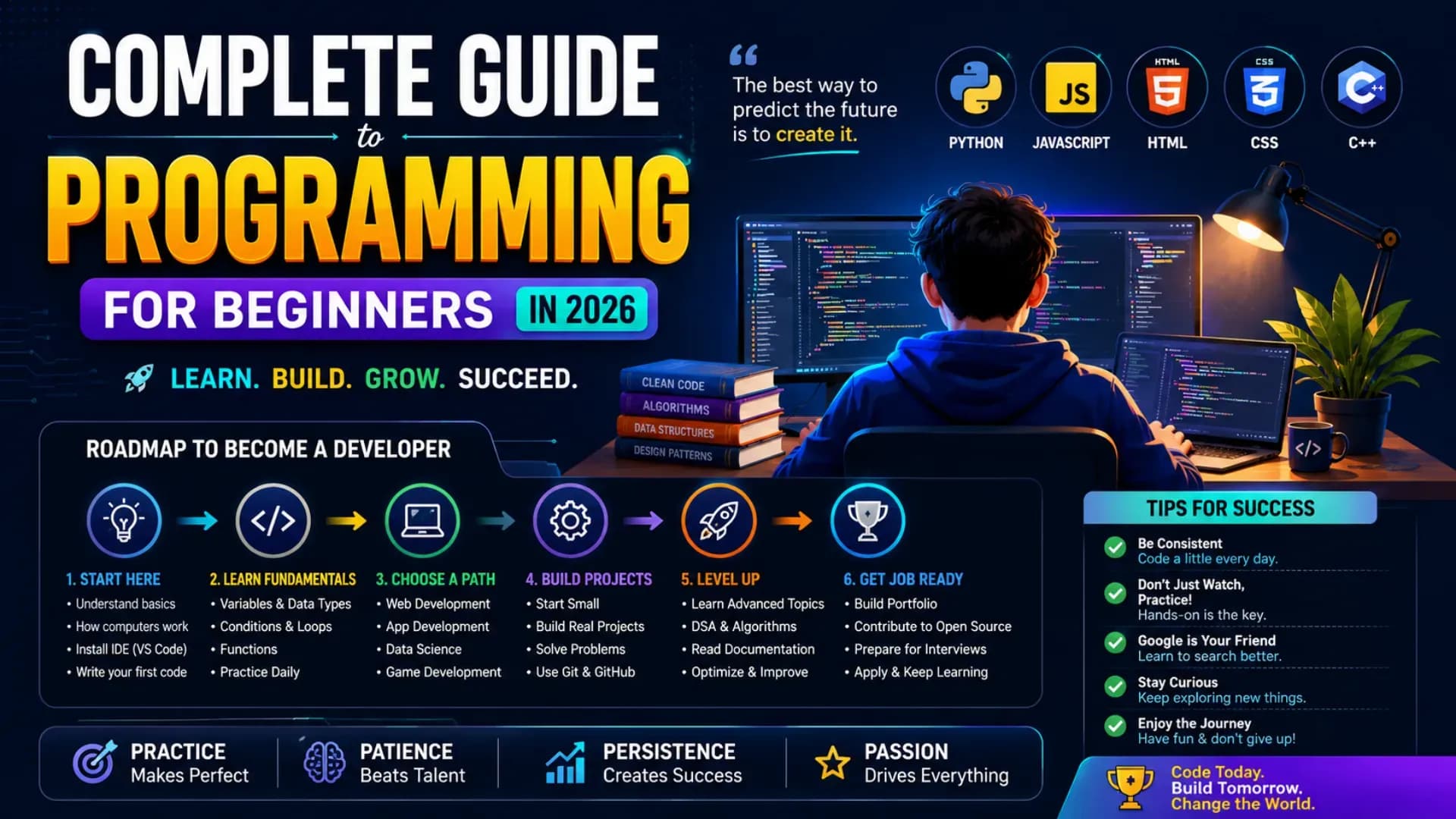
Complete Guide to Programming for Beginners in 2026
There has never been a better time to start learning programming — and there has never been more noise around it either. Between conflicting advice about which language to learn first, overwhelming lists of frameworks and tools, and an industry that seems to reinvent itself every eighteen months, most people who want to get into programming for beginners spend more time trying to figure out where to start than actually starting. This guide cuts through all of it.
This is a complete, sequenced beginner programming guide for 2026 — covering everything from choosing the right first language and building a realistic coding roadmap, to understanding software development basics, finding the right coding tutorial for beginners, and eventually navigating a full programming career guide from your first line of code to your first professional role. Whether you are a student, a career changer, or simply someone who wants to understand how software is built, this guide gives you the honest, practical framework to learn coding 2026 without wasted months or misdirected effort.
The guide is structured as a progression — each section builds on the previous one. If you are genuinely starting from zero, read it in order. If you have some experience and need specific guidance, use the Table of Contents to navigate to the section most relevant to where you are in your how to start programming journey. Every recommendation in this beginner programming guide is calibrated specifically to the 2026 technology and employment landscape — not recycled advice from five years ago.
Related Article: Top B.Tech Colleges in India: Fees, Admission & Ranking 2026
Table of Contents
- Why 2026 Is the Best Time to Learn Programming
- Choosing the Best Programming Languages as a Beginner
- Building Your Coding Roadmap — The Right Sequence
- How to Start Programming — Your First 30 Days
- Software Development Basics Every Beginner Must Learn
- Coding Tutorial for Beginners — Where to Learn and How
- Beginner Coding Tips That Actually Make a Difference
- Programming Career Guide — What Comes After the Basics
- Conclusion
Why 2026 Is the Best Time to Learn Programming
The case for starting to learn coding 2026 is stronger than it has been at any point in the past decade — and the reasons are structural, not motivational. Understanding why now is the right time to begin also helps you understand what kind of programming knowledge the market will most reward, which shapes every decision in your coding roadmap.
Step 1: AI Has Lowered the Entry Barrier Without Reducing Demand
The most important shift in the programming for beginners landscape in 2026 is the availability of AI-assisted coding tools — GitHub Copilot, Cursor, Claude, and similar tools that can generate, explain, and debug code in real time. For beginners, these tools do not replace the need to learn programming — they dramatically accelerate the learning curve by providing immediate feedback, context-aware explanations, and working code examples for any concept you are struggling with. The result is that a motivated beginner in 2026 can cover ground that would have taken twice as long five years ago — while the demand for programmers who understand what the code does and why it works has grown, not shrunk, as AI-generated code has proliferated.
Step 2: The Indian Technology Job Market Has Never Been More Diverse
In 2026, programming skills open doors across sectors that a decade ago would not have been considered technology careers — healthcare, agriculture, finance, education, defence, and government services all have active technology functions that employ programmers. The traditional software services path (TCS, Infosys, Wipro) remains significant, but product companies, startups, fintech firms, edtech platforms, and government digital initiatives have created a far broader range of entry points for people with programming skills than existed in any previous generation. Starting your learn coding 2026 journey now means arriving at a job market with more doors than ever before.
Step 3: Learning Resources Are Better, Cheaper, and More Accessible Than Ever
The coding tutorial for beginners landscape in 2026 includes free, world-class resources from platforms like freeCodeCamp, The Odin Project, CS50 (Harvard's free online course), Khan Academy, and YouTube channels with millions of subscribers teaching professional-grade programming from scratch. The quality gap between free and paid learning has narrowed dramatically in the past five years — a motivated beginner with a laptop and internet access has access to a genuinely excellent beginner programming guide curriculum at zero cost. The barrier to starting has never been lower; the barrier is entirely one of decision and discipline, not access.
Also Read: Top AI Skills Students Must Learn in 2026
Choosing the Best Programming Languages as a Beginner
The question of which language to learn first is the most debated — and most overthought — decision in programming for beginners. The honest answer is that your first language matters far less than the quality of your learning in it. Every concept you genuinely understand in one language transfers to every other language you learn after it. That said, some languages are more beginner-friendly, more employable, and more versatile than others — and knowing which ones to choose from helps you start your coding roadmap without second-guessing every step.
Step 1: Python — The Best First Language for Most Beginners in 2026
Python is the most recommended first language in every serious beginner programming guide for 2026 — and the recommendation is well-earned. Python's syntax is readable and close to plain English, which means beginners spend more time understanding programming concepts and less time fighting syntax rules. It is also one of the most versatile languages in professional use — relevant to web development (Django, Flask), data science and machine learning (NumPy, Pandas, TensorFlow), automation, scripting, and API development. The best programming languages list in 2026 consistently places Python at or near the top for both beginner accessibility and professional demand — making it the safest, highest-return first language for anyone starting from scratch.
Step 2: JavaScript — Essential for Web and Full-Stack Development
JavaScript is the only programming language that runs natively in every web browser — which makes it unavoidable for anyone whose coding roadmap leads toward web development, frontend engineering, or full-stack roles. Unlike Python, JavaScript has a steeper initial learning curve because it was designed for a specific environment (the browser) and has accumulated considerable complexity over its history. However, it is also the language with arguably the largest number of job opportunities in the Indian technology market — every web application, from the simplest landing page to the most complex SaaS product, uses JavaScript. For beginners interested specifically in web development, JavaScript is the language to prioritise alongside or after Python.
Step 3: Other Best Programming Languages Worth Knowing About
Beyond Python and JavaScript, several other languages deserve mention in any complete best programming languages overview for 2026 beginners:
- Java — The dominant language in enterprise software and Android development. Verbose syntax makes it less beginner-friendly than Python, but its widespread use in large Indian IT companies (TCS, Infosys, Wipro) makes Java skills highly employable at scale
- C / C++ — Essential for systems programming, competitive coding, embedded systems, and game development. Harder to learn but produces a deep understanding of software development basics — memory management, pointers, and performance optimisation — that makes programmers who know C genuinely more capable across all other languages they learn subsequently
- SQL — Not a general-purpose programming language, but a non-negotiable skill for virtually every software role. Every application that stores data uses a database; SQL is how you interact with databases. Add SQL to your coding roadmap early — it is one of the highest-return skills relative to learning time for any beginner
- TypeScript — A typed superset of JavaScript that is increasingly the professional standard for large-scale web applications. Learn JavaScript first, then TypeScript naturally follows as your skills develop
Step 4: The Language Choice Rule Every Beginner Should Follow
Choose one language from the best programming languages list above — preferably Python if you are genuinely undecided — and commit to it for a minimum of three months before considering switching. The single most common beginner mistake is language-hopping: spending two weeks in Python, switching to JavaScript because someone recommended it, spending two weeks there, then trying Java because a job listing mentioned it. Language-hopping produces surface familiarity with many languages and deep understanding of none — which is the worst possible position for a beginner's coding roadmap. Depth in one language first; breadth comes naturally after.
Building Your Coding Roadmap — The Right Sequence
A coding roadmap is not a list of every technology you will eventually learn — it is a sequenced plan that ensures each skill you build rests on a foundation you have already established. The most common reason beginners stall is not lack of effort — it is attempting advanced concepts before foundational ones are solid, which creates confusion that compounds until motivation collapses. The coding roadmap below is sequenced to prevent this.
Step 1: Phase 1 — Programming Fundamentals (Weeks 1 to 8)
Phase 1 of any honest beginner programming guide covers the concepts that every programming language shares — because these are the concepts that define what programming actually is, independent of syntax. Variables and data types (how computers store information), operators and expressions (how you manipulate it), control flow (if/else decisions and loops), functions (reusable blocks of logic), and basic data structures (lists, arrays, dictionaries) are the foundational layer of the entire coding roadmap. Master these in your chosen language before moving to anything else. A beginner who understands these concepts deeply in Python can learn JavaScript in three weeks — a beginner who skipped these fundamentals will struggle in every language they try.
Step 2: Phase 2 — Intermediate Concepts (Weeks 9 to 20)
Phase 2 of the coding roadmap introduces concepts that separate programmers who can write scripts from programmers who can build systems. Object-Oriented Programming (OOP) — classes, objects, inheritance, encapsulation, and polymorphism — is the most critical intermediate concept for most career paths and is central to all software development basics in professional environments. Alongside OOP, Phase 2 covers error handling and debugging (understanding what goes wrong and why), file I/O (reading and writing data), introduction to algorithms (sorting, searching, recursion), and basic SQL database interaction. By the end of Phase 2, a beginner should be able to build functional command-line applications and understand the structure of larger codebases.
Step 3: Phase 3 — Specialisation Selection (Weeks 21 to 36)
Phase 3 is where the coding roadmap diverges based on career direction. Web development, data science, mobile development, and systems programming each have distinct specialisation paths — and Phase 3 is the point at which choosing a direction and going deep into it produces more value than continuing to expand breadth. The choice of specialisation should be made based on genuine interest, market demand, and the kind of problems you find most compelling to solve. Resources like roadmap.sh provide excellent, regularly updated phase-by-phase coding roadmap guidance for each specialisation that every beginner should bookmark and use to guide their Phase 3 planning.
Step 4: Phase 4 — Projects, Portfolio, and Professional Readiness (Weeks 37 onwards)
The transition from learning to employability is made through projects — not through additional courses. Phase 4 of the coding roadmap involves building 3 to 5 real projects in your specialisation area that solve genuine problems, are fully functional, are hosted publicly (GitHub for code, a free hosting platform for deployed applications), and demonstrate the depth of your technical skill to any prospective employer who looks at them. A portfolio of three strong projects built and explained clearly is worth more in most entry-level technical interviews than a resume full of course completions and certification names. This phase is where most of the programming career guide outcomes are actually determined.
How to Start Programming — Your First 30 Days
Knowing how to start programming in theory and actually getting through the first month in practice are two very different challenges. The first 30 days of any beginner's how to start programming journey are the most critical — not because the content is the hardest, but because the habits and mindset patterns established in this period either create a sustainable learning practice or produce the frustration cycle that causes most beginners to quit. Here is exactly what the first 30 days should look like.
Step 1: Set Up Your Environment Before Anything Else (Day 1)
The technical setup for how to start programming takes one day — and spending it properly saves hours of confusion later. Install Python (python.org — use the latest stable version) and VS Code (code.visualstudio.com) as your code editor. Install the Python extension in VS Code. Write your first program — traditionally `print("Hello, World!")` — run it, and confirm it works. This sounds trivial, but successfully running your first program is a psychologically important moment in the programming for beginners journey — it proves the environment works and gives you the first experience of seeing code produce a result. Do not skip this step and move straight to a browser-based learning platform; setting up a local environment from Day 1 builds the real-world practice that online code editors cannot.
Step 2: Commit to a Daily Practice Window, Not a Daily Hour Count (Days 1 to 30)
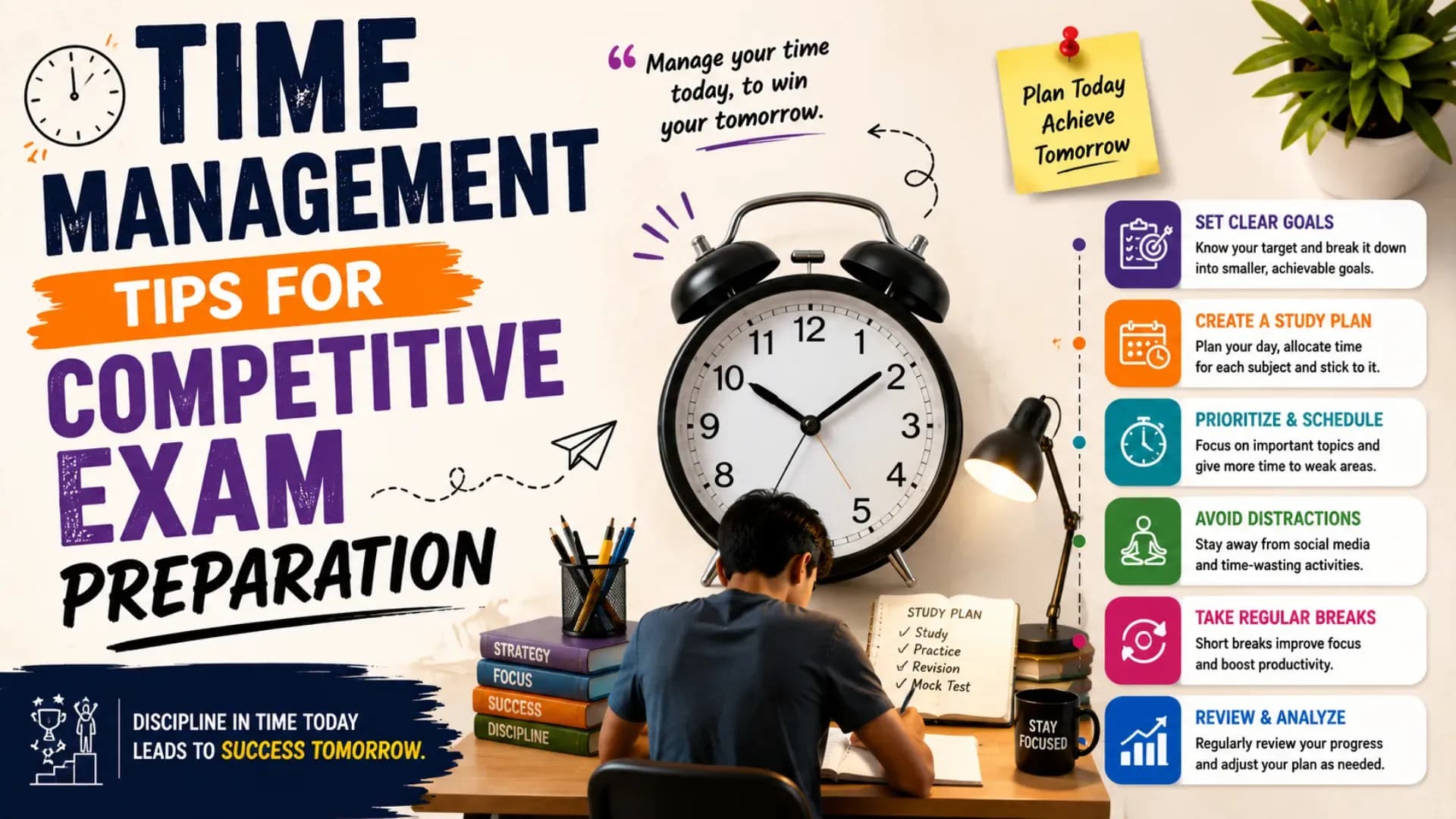
The most effective beginner coding tips for the first 30 days all centre on consistency rather than intensity. Thirty minutes of focused, daily practice produces better outcomes than four hours on Saturday and nothing for the rest of the week — because programming concepts, like language learning, require repeated exposure over time to consolidate into usable knowledge. Identify a specific daily window — 6 AM to 6:30 AM, or 9 PM to 9:30 PM, or whatever slot your life reliably protects — and treat it as a non-negotiable appointment. The minimum viable daily practice session for meaningful progress is 30 minutes of active coding (not reading, not watching videos, but typing code and running it). 45 to 60 minutes per day produces rapid progress across a 30-day window.
Step 3: Follow One Resource Completely, Not Many Resources Partially (Days 1 to 30)
Resource-hopping is the programming for beginners equivalent of language-hopping — and it is equally destructive to learning progress. Choose one structured coding tutorial for beginners course (CS50P for Python, freeCodeCamp's Python tutorial, or Automate the Boring Stuff with Python are all excellent and free) and complete it from beginning to end before consulting any other resource. Every course covers the same fundamentals — the difference is not in the content, it is in whether you finish it. A beginner who completes one average course has learned more than one who samples ten excellent ones.
Step 4: Code Every Example Yourself — Never Copy-Paste (Days 1 to 30)
The most important discipline in the first 30 days of how to start programming is typing every code example yourself — character by character — rather than copying it from the tutorial. The physical act of typing code, making the inevitable typos, reading the error messages, and fixing them is itself a learning activity. Error messages are not obstacles; they are the feedback mechanism through which programming teaches you what it needs. A beginner who has read 50 error messages and fixed them all has built a debugging instinct that no amount of clean, copy-pasted code can create. This single practice discipline is one of the most impactful beginner coding tips available and one of the most consistently violated by impatient beginners.
Step 5: Build Something Small Every Week (Weeks 2 to 4)
From Week 2 of your how to start programming journey, build one small project per week using only the concepts you have already learned. A simple calculator, a number guessing game, a temperature converter, a basic to-do list in the terminal — none of these is impressive, but all of them require you to combine multiple concepts, make decisions about how to structure your code, and debug problems that tutorials did not prepare you for. These small weekly builds are where the real learning happens — not in the tutorials, but in the moments when you try to apply what you learned and encounter the gap between understanding and execution.
Stop Stressing. Start Applying.
Skip the chaos of filling endless forms. Apply to your dream colleges in one go through the College Nirnay Common Application Form — built for every student navigating India's competitive education landscape.
Fill the Common Application Form →✓ Free to apply · ✓ Takes under 5 minutes · ✓ Trusted by thousands of students
Software Development Basics Every Beginner Must Learn
Software development basics extend beyond the programming language itself — they encompass the tools, practices, and collaborative systems that professional software is built with. Understanding these basics early is one of the most consequential beginner coding tips available, because it ensures that when you enter a professional environment, you are not learning the vocabulary of software development from scratch while also trying to deliver code.
Step 1: Version Control with Git — Non-Negotiable from Day 30
Git is the version control system used by virtually every professional software team in the world. It allows developers to track changes to code over time, collaborate with others without overwriting each other's work, and maintain a complete history of every modification made to a codebase. Learning Git is not optional for anyone following a serious coding roadmap — it is as fundamental to software development basics as understanding functions and loops. The key commands every beginner must know: `git init`, `git add`, `git commit`, `git push`, `git pull`, `git branch`, and `git merge`. GitHub is the most widely used platform for hosting Git repositories — create an account immediately and commit every project you build, no matter how small, as part of your daily practice.
Step 2: Understanding the Command Line Interface
The command line — the text-based interface through which you interact with your computer's operating system — is the environment in which professional programming happens. Understanding how to navigate directories, create and move files, run scripts, install packages, and manage processes through the command line is a foundational software development basics skill that every beginner should develop alongside their language learning. On Windows, learn PowerShell or install WSL (Windows Subsystem for Linux) for a Unix-style environment. On Mac and Linux, the terminal is available natively. Spending one week deliberately practising command line navigation and basic shell commands will pay returns across every subsequent phase of the coding roadmap.
Step 3: How Computers and the Internet Actually Work
A conceptual understanding of how computers execute programs — the CPU, memory, storage, and operating system layer — and how the internet works — IP addresses, DNS, HTTP/HTTPS, clients and servers, APIs — is essential context for anyone whose programming career guide leads toward web or application development. CS50 (Harvard's free online course) provides the best introduction to these concepts available at any price point — its first two weeks alone cover the computer science fundamentals that make every subsequent programming concept make more sense. Understanding software development basics at the conceptual level is what separates programmers who can explain their code from those who can only write it.
Step 4: Data Structures and Algorithms — When and Why They Matter
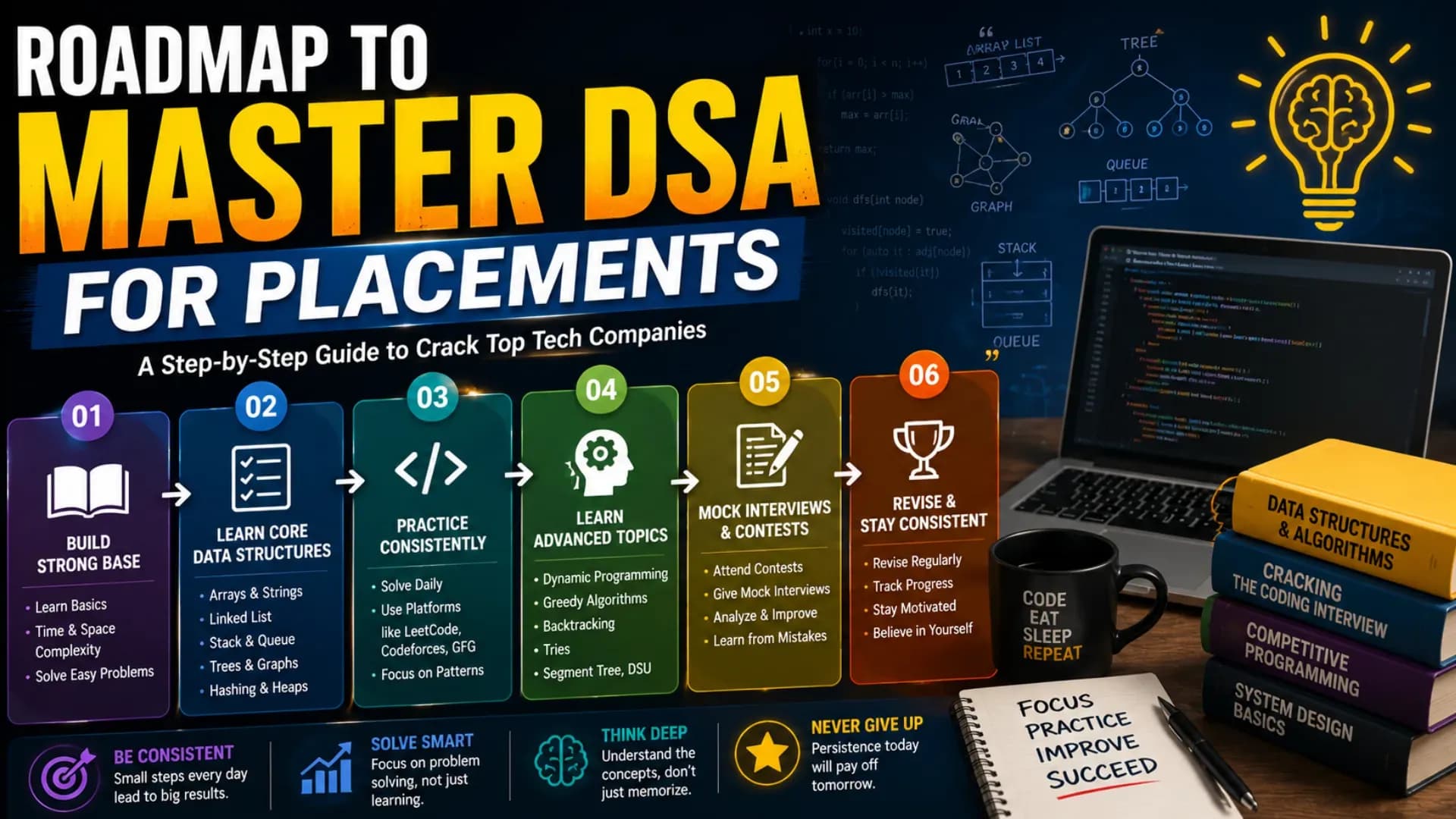
Data structures (arrays, linked lists, stacks, queues, trees, graphs, hash tables) and algorithms (sorting, searching, recursion, dynamic programming) are the theoretical foundation of computer science and the subject of most technical interview questions at mid-to-senior level roles. For absolute beginners, deep DSA study belongs in Phase 2 or Phase 3 of the coding roadmap — not in the first 30 days. However, every beginner should understand the conceptual purpose of the most common data structures — what they are, when each is appropriate, and why the choice of data structure affects a program's performance. This conceptual awareness is a software development basics essential that pays compounding returns as your technical depth grows.
Coding Tutorial for Beginners — Where to Learn and How
The coding tutorial for beginners landscape in 2026 is both the best and the most overwhelming it has ever been — with thousands of courses, platforms, YouTube channels, bootcamps, and university programmes all competing for the beginner's attention. The guidance below is not comprehensive — it is selective, because selection is what beginners need most.
Step 1: Free Resources That Match Paid Alternatives in Quality
The following free resources are the highest-quality coding tutorial for beginners options available in 2026 — each is structured, complete, and actively maintained:
- CS50 (cs50.harvard.edu) — Harvard's free introduction to computer science covers the fundamentals of programming, data structures, algorithms, web development, and Python. Widely considered the best free programming course in the world — start here if you are genuinely starting from scratch
- freeCodeCamp (freecodecamp.org) — A complete, project-based curriculum covering HTML, CSS, JavaScript, Python, Data Analysis, Machine Learning, and more. The entire curriculum is free and the organisation is non-profit — an exceptionally high-quality beginner programming guide resource
- The Odin Project (theodinproject.com) — A full-stack web development curriculum that is free, open-source, and extremely well-structured. The best free resource specifically for web development beginners following a JavaScript and Ruby path
- Automate the Boring Stuff with Python (automatetheboringstuff.com) — A free book and course that teaches Python through practical, real-world automation projects. Excellent for beginners who learn best by building things they can actually use
- roadmap.sh — Not a tutorial, but an essential reference — provides detailed, regularly updated visual coding roadmap guides for every major development specialisation (Frontend, Backend, DevOps, Data Science, etc.)
Step 2: Paid Platforms Worth the Investment
For beginners who prefer structured video courses with community support and certificates, the following paid platforms deliver genuine value as coding tutorial for beginners resources: Coursera (Google and IBM certificates are industry-recognised), Udemy (high-quality courses frequently discounted to under ₹500), and Scrimba (exceptional for interactive JavaScript learning). The certification programmes from Google (Google IT Support, Google Data Analytics, Google UX Design — all on Coursera) are worth highlighting specifically because they are employer-recognised, affordable, and structured with job-readiness as an explicit goal.
Step 3: How to Use Tutorials Without Falling Into Tutorial Hell
Tutorial hell is the trap that catches most programming for beginners learners: completing one tutorial after another, always feeling like they need one more course before they are ready to build something independently — and never actually building anything. The solution is a specific practice rule: for every tutorial section you complete, spend an equal amount of time applying what you learned in a small, self-directed project before moving to the next section. This 1:1 ratio of tutorial consumption to independent application is the specific mechanism that prevents tutorial hell and produces the real-world problem-solving confidence that employable programmers have. Every serious beginner programming guide for 2026 treats independent project work not as an advanced activity but as the core practice from Week 1 onwards.
Beginner Coding Tips That Actually Make a Difference
The most valuable beginner coding tips are not the obvious ones — not "practice every day" or "stay motivated." They are the specific, counterintuitive insights that experienced programmers accumulated over years of learning and that, had they known them at the beginning, would have saved months of confusion and frustration.
Step 1: Embrace Error Messages — They Are Teaching You
The emotional response most beginners have to error messages is anxiety or frustration — the code is broken, something went wrong, the program doesn't work. The experienced programmer's response is curiosity — an error message is a specific, precise piece of information about what the program expected and what it received instead. Learning to read error messages carefully, understand what they are telling you, and use that information to fix the code is one of the most important skills in programming for beginners — and it is a skill that develops only through the repeated experience of encountering errors, reading them, and resolving them. Never immediately search for a solution to an error without first spending 5 to 10 minutes reading the error message and trying to understand it yourself. The debugging instinct this builds is irreplaceable.
Step 2: Read Other People's Code — Actively and Often
Most beginner coding tips focus entirely on writing code — but reading code is an equally important and substantially underrated learning activity. Open-source projects on GitHub, tutorial solutions, and Stack Overflow answers all provide examples of how experienced developers approach problems, structure solutions, and write code that other humans can understand. Spend at least 20% of your weekly coding time reading other people's code — not to copy it, but to understand it: why did they make that design choice? Why is that function named that way? Why is this data structure used here instead of that one? Reading code develops pattern recognition and architectural intuition that no tutorial can directly teach.
Step 3: Learn to Use Documentation — Not Just Stack Overflow
Stack Overflow and similar Q&A platforms are useful for specific error solutions — but they produce a dependency that limits growth if used as the first resort for every problem. The professional programmer's most valuable tool is the ability to read official documentation — the Python docs (docs.python.org), the MDN Web Docs for JavaScript and web APIs, the Django documentation for web development — and find answers to questions that have never been asked on any forum. Developing documentation literacy early is one of the highest-value beginner coding tips available because it makes you permanently self-sufficient in a way that forum dependency never will.
Step 4: Write Comments and Clean Code From the Beginning
The habit of writing readable, well-commented code is one that most beginners defer to "when I get better" — and that most experienced programmers wish they had developed from Day 1. Clean code means: meaningful variable and function names (not `x`, `temp`, or `data1`), functions that do one thing and do it clearly, and comments that explain why a decision was made (not what the code does — that should be readable from the code itself). Code you write today that is clean and commented will be understandable to you in three months — code that is not will be a mystery. In professional team environments, clean code is not a preference; it is a professional requirement that affects every code review and every collaboration.
Step 5: Join a Community — Learning Programming Alone Is Harder Than It Needs to Be
The programming for beginners journey is significantly easier in community than in isolation. Online communities like the freeCodeCamp forums, r/learnprogramming on Reddit, the CS50 Discord server, and local coding meetups in Jaipur, Delhi, Bengaluru, and other Indian cities provide access to peers at your level, mentors who have been where you are, accountability structures, and project collaboration opportunities. Post your code for feedback — the discomfort of having someone else review your work and identify improvements is one of the fastest learning accelerants available. The best programmers are not those who learned in isolation; they are those who learned in environments where honest feedback was constant and welcome.
Programming Career Guide — What Comes After the Basics
This programming career guide section is for beginners who have completed Phase 1 and Phase 2 of the coding roadmap and are beginning to think seriously about what their first professional role looks like. The path from competent beginner to employed junior developer in India in 2026 is more achievable than it has ever been — but it requires understanding how the hiring process works and what it specifically evaluates.
Step 1: Understand What Entry-Level Technical Hiring Actually Evaluates
Entry-level technical hiring at most Indian technology companies in 2026 evaluates three things: foundational programming knowledge (can you write correct, readable code in your language of choice?), problem-solving ability (can you approach an unfamiliar problem, break it down, and build a working solution?), and cultural and communication fit (can you explain your thinking, ask good questions, and work with others?). A strong GitHub portfolio, a resume that shows projects rather than just courses, and the ability to explain your code decisions out loud in an interview are the three most consequential factors in an entry-level technical hiring decision — more than your CGPA, your institution, or your certification list. This is the single most important insight in any honest programming career guide for 2026.
Step 2: The Career Paths Available to a Beginner Programmer in 2026
The programming career guide for 2026 includes several distinct paths, each with different skill requirements, salary trajectories, and day-to-day realities:
- Software Development Engineer (SDE) — The most common entry-level role at technology companies. Involves building, testing, and maintaining software systems. Entry-level salaries in India range from ₹4 lakh to ₹12 lakh depending on company tier and location
- Frontend Developer — Specialises in building the user-facing parts of web applications using HTML, CSS, JavaScript, and frameworks like React. High demand from startups and product companies; strong portfolio is the primary hiring criterion
- Backend Developer — Builds the server-side logic, databases, and APIs that power applications. Python (Django/Flask), Java (Spring), and Node.js are the primary backend technology stacks in the Indian market
- Data Analyst / Data Scientist — Uses Python, SQL, and statistics to extract insights from data. High growth sector across banking, e-commerce, healthcare, and government — arguably the fastest-growing specialisation in the Indian learn coding 2026 landscape
- DevOps Engineer — Manages the infrastructure, deployment pipelines, and cloud environments that run software systems. Requires Linux, cloud platform (AWS/GCP/Azure), and scripting knowledge — a Phase 3 or Phase 4 specialisation for most beginners
Step 3: Building the Portfolio That Gets You Hired
Your portfolio is the most important document in your early programming career guide — more important than your resume, your certification list, or your LinkedIn profile. A portfolio for an entry-level developer should contain 3 to 5 projects that collectively demonstrate: the ability to build something functional from scratch, familiarity with your specialisation's core tools and frameworks, understanding of software development basics like version control and clean code, and enough complexity to show that you can handle more than tutorial-level work. Each project should have a clear README that explains what it does, why you built it, and what you learned from building it. This documentation is itself a communication and professionalism signal that recruiters and hiring managers actively look for.
Step 4: Technical Interview Preparation — The Specific Skills Required
Technical interviews at most Indian technology companies involve some combination of: coding problems on platforms like LeetCode, HackerRank, or CodeChef (data structures and algorithms questions of Easy to Medium difficulty for entry-level roles), system design discussions (high-level architecture questions — relevant from mid-level onwards), and portfolio or project walkthrough sessions where you explain your work in detail. For entry-level roles, the most effective technical interview preparation involves 30 to 60 days of consistent LeetCode practice focusing on Easy-level problems across Arrays, Strings, Hash Maps, and Basic Tree problems — alongside the ability to articulate every project in your portfolio clearly, confidently, and in technical detail. This combination, consistently executed over 60 to 90 days of dedicated preparation, is the specific path through which most motivated beginners convert their coding roadmap progress into their first professional programming role.
Explore More
Conclusion
The complete path for programming for beginners in 2026 — from your first `print("Hello, World!")` to your first professional role — is more clearly mapped and more achievable than it has ever been. The beginner programming guide framework in this article gives you the sequenced structure: choose from the best programming languages with clarity, follow a phase-based coding roadmap, master how to start programming with discipline in the first 30 days, build the software development basics that make you professionally functional, use the right coding tutorial for beginners resources without falling into tutorial hell, apply the beginner coding tips that experienced programmers wish they had known, and navigate your programming career guide with an understanding of how hiring actually works.
The one thing this guide cannot do is make you start. That decision belongs entirely to you — and the best time to make it is now. Every week of delay is a week of compounding programming knowledge that you are not building. The students and professionals who will be employable, capable, and confident programmers in 2026 and beyond are not the ones with the highest aptitude — they are the ones who started, stayed consistent, and built things even when they were not sure what they were doing. That is the entirety of the learn coding 2026 journey, and it is fully within your reach.
Explore College Nirnay for technology career guides, top engineering college comparisons, course recommendations, and every resource a student needs to plan the path from learning to a programming career in India.