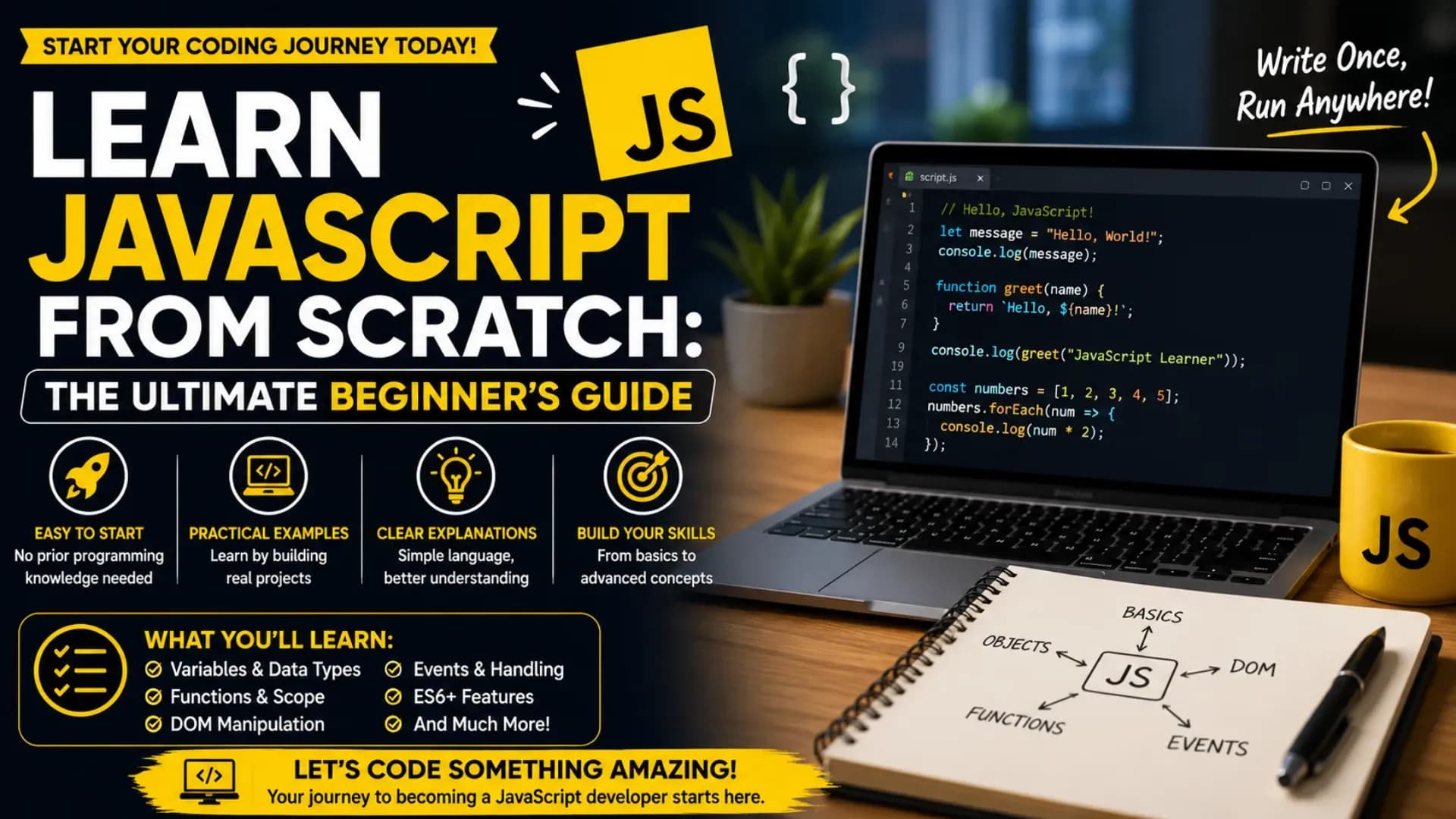
Learn JavaScript From Scratch: The Ultimate Beginner's Guide
JavaScript is the most widely used programming language in the world — and for good reason. Every interactive website, web application, browser game, and modern frontend interface depends on it. This JavaScript tutorial for beginners is designed to help students, aspiring developers, and complete beginners understand JavaScript from the ground up, with clear explanations and practical code examples.
If you want to learn JavaScript from scratch, you need more than just variable declarations and console logs. Modern web development requires a solid understanding of JavaScript basics, JavaScript functions, DOM manipulation, ES6 JavaScript features, and how JavaScript ties together the entire frontend stack. This JavaScript guide 2026 covers all of it — step by step.
This beginner JavaScript tutorial will take you from your very first line of code to writing real interactive programs. Whether you are building your first webpage or preparing for a frontend developer role, this guide on web development with JavaScript will help you write cleaner, smarter, and more powerful code — and understand exactly what it is doing and why.
Related Article: Top B.Tech Colleges in India: Fees, Admission & Ranking 2026
Table of Contents
- What is JavaScript?
- Why Learn JavaScript in 2026?
- JavaScript Basics: Variables, Data Types, and Operators
- JavaScript Functions
- Control Flow: Conditionals and Loops
- DOM Manipulation
- ES6 JavaScript: Modern Features
- Arrays and Objects
- Asynchronous JavaScript
- JavaScript Projects for Practice
- FAQs
- Conclusion
What is JavaScript?
JavaScript is a lightweight, interpreted programming language built into every modern web browser. While HTML defines the structure of a webpage and CSS defines its appearance, JavaScript defines its behaviour — it makes pages interactive, dynamic, and responsive to user actions.
When you click a button and a dropdown opens, type in a search box and see live suggestions, or watch an image slider move automatically — that is JavaScript programming at work. It runs directly in the browser without any installation or compilation step, making it one of the most accessible languages for beginners to start with.
A good JavaScript tutorial for beginners should not just teach syntax — it should show you how JavaScript thinks: event-driven, asynchronous, and deeply integrated with the structure of every webpage. JavaScript is not just a frontend language either; with Node.js, it runs on servers too, making it one of the most versatile languages in modern software development.
Also Read: Top AI Skills Students Must Learn in 2026
Why Learn JavaScript in 2026?
If you want to do serious web development with JavaScript, you are investing in the most in-demand programming skill across the global job market. According to developer surveys year after year, JavaScript consistently ranks as the most commonly used language — and that dominance shows no sign of changing in 2026.
Companies building web applications, mobile apps, browser extensions, APIs, dashboards, and data visualisation tools all depend on JavaScript or JavaScript-based frameworks like React, Vue, Angular, and Next.js. Understanding JavaScript programming at its core gives you the foundation to learn any of these frameworks quickly and confidently.
This JavaScript guide 2026 is built around the reality that modern employers expect developers to understand not just basic syntax but also ES6 JavaScript features, asynchronous patterns, and how JavaScript interacts with the browser and the DOM. These are no longer advanced topics — they are baseline expectations for anyone entering frontend development professionally.
JavaScript Basics: Variables, Data Types, and Operators
Every journey to learn JavaScript from scratch starts with the fundamentals: how to store data, what kinds of data JavaScript understands, and how to perform operations on that data.
Declaring Variables
let name = "Aryan";
const age = 21;
var city = "Jaipur";
In modern JavaScript programming, let is used for variables that can change, const for values that stay fixed, and var is older — best avoided in new code.
JavaScript Data Types
- String — Text:
"Hello" - Number — Numeric:
42,3.14 - Boolean — True or false:
true,false - Array — Ordered list:
[1, 2, 3] - Object — Key-value pairs:
{ name: "Aryan", age: 21 } - Null / Undefined — Empty or unassigned values
Basic Operators
let sum = 10 + 5;        // 15
let product = 4 * 3;    // 12
let isAdult = age >= 18; // true
These JavaScript basics form the building blocks of every program. Without a clear understanding of how variables and data types work, more complex concepts like functions and asynchronous code become unnecessarily difficult.
JavaScript Functions
JavaScript functions are reusable blocks of code that perform a specific task. They are one of the most important concepts in the language — almost everything in JavaScript eventually involves functions, from event handlers to API calls to data transformation.
Function Declaration
function greet(name) {
  return "Hello, " + name + "!";
}

console.log(greet("Priya")); // Hello, Priya!
Arrow Functions (ES6)
const greet = (name) => {
  return `Hello, ${name}!`;
};

// Short form for single-expression functions
const double = (n) => n * 2;
Key Function Concepts
- Parameters: Inputs the function accepts
- Return value: Output the function produces
- Scope: Variables inside a function are not accessible outside
- Callbacks: Functions passed as arguments to other functions
- Higher-order functions: Functions that accept or return other functions
Understanding JavaScript functions deeply — including scope, closures, and callbacks — is what separates a beginner who has memorised syntax from a developer who can actually build things. This is a topic every beginner JavaScript tutorial must treat with care and adequate depth.
Control Flow: Conditionals and Loops
Control flow determines the order in which code executes. JavaScript basics like conditionals and loops allow your program to make decisions and repeat actions — which is what turns a static script into dynamic, responsive logic.
Conditionals
let score = 75;

if (score >= 90) {
  console.log("Grade: A");
} else if (score >= 60) {
  console.log("Grade: B");
} else {
  console.log("Grade: C");
}
Loops
// For loop
for (let i = 1; i <= 5; i++) {
  console.log("Item " + i);
}

// While loop
let count = 0;
while (count < 3) {
  console.log("Count: " + count);
  count++;
}
Every program you write for web development with JavaScript will use control flow extensively — from validating form inputs to filtering data arrays to handling multiple user interaction states. Mastering conditionals and loops early sets a strong foundation for everything that follows.
Stop Stressing. Start Applying.
Skip the chaos of filling endless forms. Apply to your dream colleges in one go through the College Nirnay Common Application Form — built for every student navigating India's competitive education landscape.
Fill the Common Application Form →✓ Free to apply · ✓ Takes under 5 minutes · ✓ Trusted by thousands of students
DOM Manipulation: Making Pages Interactive
DOM manipulation is where JavaScript becomes truly powerful for web development. The DOM — Document Object Model — is the browser's representation of an HTML page as a tree of objects. JavaScript can read, change, add, and remove any element on that tree in real time.
// Select an element
const heading = document.getElementById("main-title");

// Change its content
heading.textContent = "Welcome to JavaScript!";

// Change its style
heading.style.color = "blue";
Common DOM Methods
document.getElementById()— Select by IDdocument.querySelector()— Select by CSS selectorelement.textContent— Read or set text contentelement.innerHTML— Read or set HTML contentelement.classList.add() / remove()— Toggle CSS classeselement.addEventListener()— Listen for user events
const btn = document.querySelector("#myButton");

btn.addEventListener("click", function() {
  alert("Button clicked!");
});
DOM manipulation is the skill that makes everything visible — every interactive UI component, form validation message, dropdown menu, and real-time counter you see on a webpage is driven by DOM operations. In any complete JavaScript guide 2026, this topic deserves dedicated, hands-on practice.
ES6 JavaScript: Modern Features Every Developer Must Know
ES6 JavaScript — also known as ECMAScript 2015 and its successive annual updates — introduced a set of features that dramatically improved how JavaScript is written. If you want to learn JavaScript from scratch the right way in 2026, learning ES6+ syntax is not optional — it is how all modern JavaScript code is written.
Template Literals
const name = "Rahul";
const message = `Hello, ${name}! Welcome to JavaScript.`;
Destructuring
// Array destructuring
const [first, second] = [10, 20];

// Object destructuring
const { name, age } = { name: "Ananya", age: 22 };
Spread and Rest Operators
// Spread — expand an array
const nums = [1, 2, 3];
const moreNums = [...nums, 4, 5];

// Rest — collect arguments
function sum(...args) {
  return args.reduce((a, b) => a + b, 0);
}
Modules (import / export)
// utils.js
export function formatName(name) {
  return name.trim().toUpperCase();
}

// main.js
import { formatName } from "./utils.js";
ES6 JavaScript features like arrow functions, destructuring, modules, template literals, and the spread operator are not advanced topics for specialists — they are the standard vocabulary of everyday JavaScript programming. Every modern framework (React, Vue, Node.js) is built on this syntax.
Arrays and Objects: Working with Data
Arrays and objects are the primary data structures in JavaScript programming. Nearly every real-world application — whether it is displaying a list of products, managing user profiles, or rendering a dynamic table — involves manipulating arrays and objects.
Array Methods
const scores = [85, 92, 78, 96, 61];

// map — transform each item
const doubled = scores.map(s => s * 2);

// filter — keep items that match a condition
const passing = scores.filter(s => s >= 70);

// reduce — combine all items into one value
const total = scores.reduce((acc, s) => acc + s, 0);
Working with Objects
const student = {
  name: "Kavya",
  age: 20,
  course: "B.Tech CSE"
};

// Access properties
console.log(student.name);       // Kavya
console.log(student["course"]);  // B.Tech CSE

// Add a new property
student.city = "Pune";
Mastering array methods like map, filter, find, and reduce is one of the clearest indicators of intermediate JavaScript basics competency. These methods appear in virtually every frontend codebase and are a standard expectation in technical interviews for web development roles.
Asynchronous JavaScript: Promises, Async/Await, and Fetch
Asynchronous programming is one of the most important — and most misunderstood — aspects of JavaScript programming. JavaScript is single-threaded, which means it can only do one thing at a time. Asynchronous patterns allow it to handle tasks like network requests, file reads, and timers without freezing the entire page.
Promises
const fetchData = new Promise((resolve, reject) => {
  setTimeout(() => resolve("Data loaded!"), 2000);
});

fetchData.then(result => console.log(result));
Async / Await
async function getUserData() {
  try {
    const response = await fetch("https://api.example.com/users/1");
    const data = await response.json();
    console.log(data);
  } catch (error) {
    console.error("Error:", error);
  }
}
The Fetch API
fetch("https://jsonplaceholder.typicode.com/posts/1")
  .then(res => res.json())
  .then(post => console.log(post.title))
  .catch(err => console.error(err));
For anyone doing serious web development with JavaScript, asynchronous patterns are unavoidable. Every API call, every database request through a frontend, and every real-time feature depends on this. The async/await syntax introduced in ES6 JavaScript and later makes this dramatically easier to read and write than the older callback-based approach.
Best JavaScript Projects for Practice
The fastest way to truly learn JavaScript from scratch is to build real projects. Reading theory and watching tutorials creates familiarity — but actually writing code, hitting bugs, and solving them yourself is what creates genuine understanding and confidence.
- Interactive to-do list with add and delete functionality
- Digital clock or countdown timer
- Weather app using a public API and the Fetch API
- Quiz app with score tracking
- Image slider or carousel
- Form validator with real-time error messages
- Random quote generator
- Calculator with keyboard support
- Expense tracker using local storage
- Simple browser-based game (e.g., number guessing, rock-paper-scissors)
Each of these projects helps you practise DOM manipulation, JavaScript functions, event handling, and ES6 JavaScript features in context. They are also excellent portfolio pieces that demonstrate practical ability to recruiters and interviewers evaluating candidates for frontend development roles.
FAQs
Q1. Do I need to know HTML and CSS before learning JavaScript?
Yes — and this is the recommended sequence for anyone starting this beginner JavaScript tutorial. HTML gives you the structure that JavaScript interacts with through DOM manipulation, and CSS gives you the visual layer that JavaScript often modifies dynamically. You do not need to be an expert in HTML or CSS before starting JavaScript, but a basic understanding of how HTML elements are structured and how CSS classes work will make your JavaScript learning significantly smoother and more practical from the beginning.
Q2. How long does it take to learn JavaScript from scratch?
With consistent daily practice of 1 to 2 hours, most beginners can become comfortable with JavaScript basics — variables, functions, control flow, and basic DOM interaction — within 4 to 6 weeks. Reaching a level where you can build real interactive projects confidently typically takes 3 to 4 months. Reaching professional-grade competency with ES6 JavaScript, asynchronous patterns, and framework-level understanding takes 6 to 12 months of regular practice. The most important variable is not time — it is whether you are building real projects consistently alongside reading or watching theory.
Q3. What is the difference between JavaScript and ES6 JavaScript?
ES6 JavaScript refers to ECMAScript 2015 and later — the major update to the JavaScript language standard that introduced arrow functions, let/const, template literals, destructuring, classes, modules, Promises, and many other features. It is not a different language; it is a modernised version of the same language. All modern browsers fully support ES6 and beyond. When developers say they want someone who knows JavaScript programming, they implicitly mean ES6+ syntax — the older pre-2015 patterns are largely obsolete in new code.
Q4. Should I learn a JavaScript framework like React after this guide?
Yes — but only after you have genuinely solid JavaScript fundamentals. Many beginners rush into React or Vue before understanding core JavaScript functions, DOM manipulation, and asynchronous patterns, and then find the framework confusing because they are trying to learn JavaScript and React simultaneously. This JavaScript guide 2026 is designed to give you the foundation that makes framework learning fast and intuitive. Once you can build a working interactive project in vanilla JavaScript confidently, you are ready to move into React or another framework.
Q5. Is JavaScript enough to get a frontend developer job?
Strong web development with JavaScript skills — combined with HTML, CSS, and at least one framework like React — are the core requirements for most frontend developer roles in 2026. You do not need to know everything; you need to know the fundamentals deeply and be able to build real things. Employers hiring junior and mid-level frontend developers consistently prioritise demonstrated ability through projects and portfolios over comprehensive theoretical knowledge. Build 3 to 5 solid portfolio projects using what this JavaScript tutorial for beginners covers, deploy them publicly, and you will have a credible case for entry-level frontend roles.
Explore More
Conclusion
JavaScript is the language that brings the web to life — and this guide has taken you through everything you need to learn JavaScript from scratch with genuine understanding. From JavaScript basics like variables and data types to DOM manipulation, ES6 JavaScript features, asynchronous programming, and real project ideas, the full picture is here.
If you want to build a career in web development with JavaScript, focus on projects over passive learning. Apply every concept you read about by writing real code. Break things, fix them, understand why they broke. That cycle — build, fail, learn — is how every successful developer has mastered JavaScript programming, and there is no shortcut.
By following this JavaScript tutorial for beginners roadmap, you now have a clear path: understand JavaScript basics, master JavaScript functions, practise DOM manipulation, adopt ES6 JavaScript syntax, handle asynchronous code confidently, and build a portfolio of projects that proves your ability. That is the complete, honest path to becoming a capable JavaScript developer in 2026.